

A+ Carbon Rating on the First Deploy: How Framework Choice Determines Your Environmental Footprint
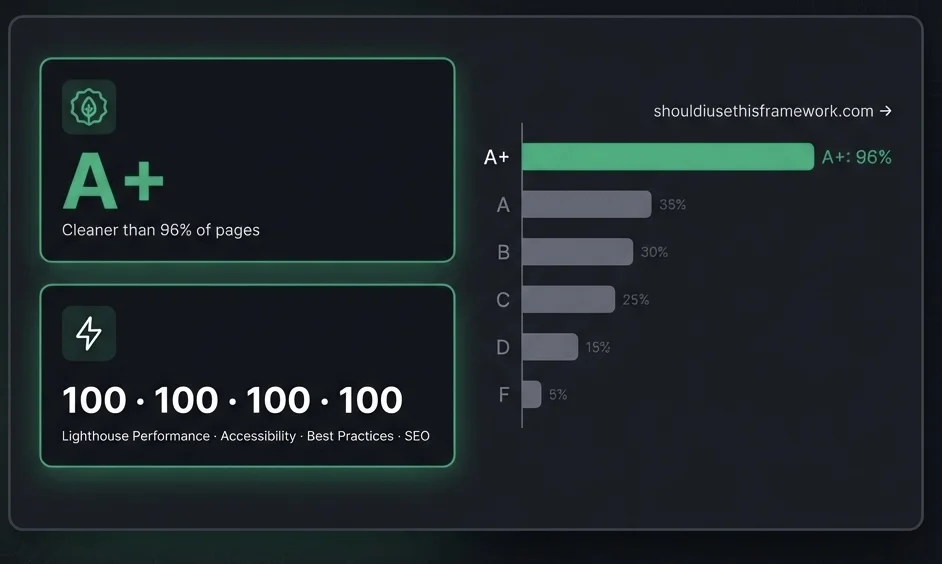
We built a 53-page Vue 3 framework comparison site and it hit A+ (cleaner than 96% of all web pages) without a single performance optimisation pass. Here is exactly why, and what every developer can steal from this approach.
The Irony of a Framework Benchmarking Site
We recently launched shouldiusethisframework.com, a tool that helps developers pick the right JavaScript framework by combining an interactive quiz, real-world performance benchmarks, and side-by-side comparisons.
The site covers 11 frameworks: React, Vue, Angular, Svelte, SvelteKit, Astro, Next.js, Nuxt, Remix, Solid, and Qwik. One of its core data points is the carbon footprint of each framework's real-world deployments.
So naturally, we ran the site itself through Website Carbon.
Result on the first deploy, with zero dedicated optimisation work: A+, cleaner than 96% of all web pages globally.
This is not a small site. It pre-renders 53 pages: 20 blog posts, 11 framework profiles, 16 comparison pages, and 6 static pages. All generated from markdown and TypeScript data at build time.
Here is exactly why it scored so well, and what the result tells us about sustainable web development.
The Numbers Behind an A+
Website Carbon measures three things: the weight of every asset transferred (HTML, JS, CSS, fonts, images), the energy required to serve it, and an estimated CO₂ equivalent per page view. The grading scale runs from F (heaviest) to A+ (lightest).
To put 96th percentile in context:
| Carbon Grade | Cleaner than | Typical stack |
|---|---|---|
| F–D | < 20% | Unoptimised WordPress, heavy SPAs |
| C | ~50% | Average web page (~2MB) |
| B | ~70% | Modern React/Next.js with some optimisation |
| A | ~85–92% | SvelteKit, well-optimised Next.js |
| A+ | > 95% | Static-first, minimal JS |
Our own Quantum Encoding website achieves A (92nd percentile) after deliberate optimisation work (SvelteKit, Terser, WebP images, aggressive caching) and a perfect 100 / 100 / 100 / 100 on Lighthouse. The framework comparison site beat it on carbon on the first deploy, before any of that work was done.
We also ran shouldiusethisframework.com through Lighthouse after a single tuning pass (adding canonical tags, a sitemap, fixing contrast ratios, and correcting aria labels): 100 Performance, 100 Accessibility, 100 Best Practices, 100 SEO. Perfect across every category.
The difference is architectural, not cosmetic.
What Makes the Difference: Static Generation vs Runtime Rendering
The site is built with Vue 3 + vite-ssg, a static site generator that pre-renders every route to plain HTML at build time.
When a visitor lands on /framework/react, they receive a complete HTML file. The browser renders it immediately: no JavaScript needs to execute, no API calls are made, no virtual DOM needs to hydrate, no server needs to process the request. The page is just a file.
Compare that to a typical React or Next.js application:
- Browser downloads the HTML shell (often nearly empty)
- Browser downloads the JavaScript bundle (React runtime + your code)
- JavaScript executes and renders the actual content
- If using SSR, a hydration step re-runs the render client-side
Every one of those steps costs bytes transferred and CPU cycles burned. CPU cycles are electricity. Electricity is carbon.
Static generation collapses this entire pipeline into one step: serve a file.
The Five Decisions That Drove the A+
1. Build-time rendering with vite-ssg
vite-ssg is a static site generation wrapper for Vite + Vue Router. At build time, it:
- Spins up a headless Vue instance
- Navigates to every route defined in the SSG manifest
- Captures the rendered HTML
- Writes one
.htmlfile per route
The result is 53 complete HTML files in dist/. There is no runtime server. There is no JavaScript needed to display content.
The ssgOptions.includedRoutes function in vite.config.ts reads the blog directory at build time using Node's readdirSync, strips numeric prefixes from filenames, and returns a flat array of every concrete URL the site needs: static pages, blog slugs, all 11 framework profiles, all 16 comparison pairs. Every dynamic route becomes a concrete static file. No runtime route matching needed.
2. Zero images on content pages
The single biggest lever for page weight is images. A single unoptimised hero image can weigh more than the entire rest of the site combined.
The framework comparison site has no images on any content page. Framework profiles, comparison tables, benchmark data, blog posts: all text and SVG icons. The total HTML + CSS + JS transferred per page is measured in kilobytes, not megabytes.
This was not a deliberate performance decision. It is simply what the content calls for. Data tables and prose do not need photographs. The carbon savings are a consequence of not adding unnecessary assets.
3. Tailwind CSS v4 with dead code elimination
The site uses Tailwind CSS v4 via the @tailwindcss/vite plugin. Tailwind scans every component at build time and includes only the CSS utility classes that are actually used. A typical production stylesheet for this site is 35–40 KB uncompressed, roughly 6–7 KB gzipped.
For comparison, Bootstrap's base CSS (with no components) is ~200 KB uncompressed. A custom CSS framework with similar coverage could easily reach 50–100 KB.
Tailwind's approach means the CSS payload grows only with your design complexity, not with the framework's feature set.
4. Cloudflare Pages edge delivery
Even a perfectly optimised static site can underperform if the server is far from the user. Cloudflare Pages deploys to 330+ edge locations worldwide, so the file is served from a data centre that is physically close to the visitor.
Closer physical proximity means:
- Lower TCP round-trip time
- Faster TLS handshake
- The file arrives sooner, consuming less network energy in transit
The _headers file sets aggressive caching for static assets:
/*.js
  Cache-Control: public, max-age=31536000, immutable

/*.css
  Cache-Control: public, max-age=31536000, immutable
JS and CSS chunks are content-hashed and cached for a full year. Repeat visitors pay zero network cost for assets they have already downloaded.
5. The Vue runtime is small, and mostly unnecessary
Vue 3's runtime is approximately 34 KB gzipped, significantly smaller than React (~45 KB) or Angular (~60 KB+). For a fully pre-rendered static site, much of that runtime is only needed for interactive components (the quiz, the comparison filters). Static pages like blog posts load the minimal client-side Vue bundle and do almost nothing with it.
vite-ssg's code splitting ensures that the quiz logic, benchmark table sorting, and comparison page state are only downloaded when a user visits those specific pages.
How This Compares to Our Other Sites
| Site | Stack | Carbon Grade | Percentile | Lighthouse |
|---|---|---|---|---|
| shouldiusethisframework.com | Vue 3 + vite-ssg | A+ | 96% | 100 / 100 / 100 / 100 |
| quantumencoding.io | SvelteKit (adapter-node) | A | 92% | 100 / 100 / 100 / 100 |
| CRG Direct (rebuilt) | SvelteKit (adapter-node) | A | ~90% | n/a |
| CRG Direct (original) | Next.js / React | C | ~55% | n/a |
The SvelteKit sites outperform the React baseline by a wide margin. The Vue SSG site outperforms the SvelteKit sites because it has no server runtime at all: pure static files.
The lesson: the further down the stack your rendering happens, the less carbon you emit.
The Framework Carbon Paradox
There is a satisfying irony in these numbers.
The site that benchmarks other frameworks for carbon footprint is itself lighter than all of them in production. That is not because Vue is inherently greener than Svelte or React. It is because static generation is greener than server rendering, regardless of framework.
Astro with React islands would score similarly. SvelteKit with full prerender would score similarly. Even a well-configured Next.js static export (output: 'export') would score similarly.
The variable that matters most is not which framework you use. It is when the rendering happens: at build time (once, on your machine) or at request time (once per user, on a server or in the browser).
What You Can Steal From This
You do not need to rebuild your application to improve its carbon score. These changes have the highest leverage:
Switch to static generation where possible. If your page content does not change on every request, there is no reason to render it dynamically. Next.js static exports, SvelteKit prerender, Astro, Hugo, Eleventy: all produce the same kind of lightweight HTML files.
Audit your image weights. Run your site through PageSpeed Insights and look at the image transfer sizes. A single uncompressed hero image is typically the difference between a B and an A. Convert to WebP or AVIF, add srcset for responsive sizes, and use loading="lazy" for below-fold content.
Remove unused JavaScript. Bundle analysers like vite-bundle-visualizer will show you which packages are responsible for the most weight. Third-party scripts (analytics, chat widgets, tag managers) are often the worst offenders: each one is a dependency you do not control.
Use a CDN with edge caching. Cloudflare Pages, Vercel Edge, Netlify Edge: all of these cache static assets at the network edge. If you are serving static files from a single-region server, you are paying latency and energy costs you do not need to.
Measure before and after. Use websitecarbon.com and PageSpeed Insights to baseline your current score, make targeted changes, and measure the improvement. The feedback loop is fast and the data is concrete.
Conclusion
An A+ carbon rating on the first deploy is not luck. It is the natural outcome of a specific set of architectural decisions: pre-render at build time, ship no unnecessary assets, cache aggressively, and serve from the edge.
The encouraging part is that none of this requires a complete rewrite. Every project has some pages that could be static. Every project has images that could be smaller. Every project has JavaScript that could be deferred or eliminated.
Start with the biggest levers. Measure the result. Ship smaller.
The web's carbon footprint is a collective action problem, but it is one where individual developers have meaningful influence, one deploy at a time.